Turn images into 3D-printable STL files fast

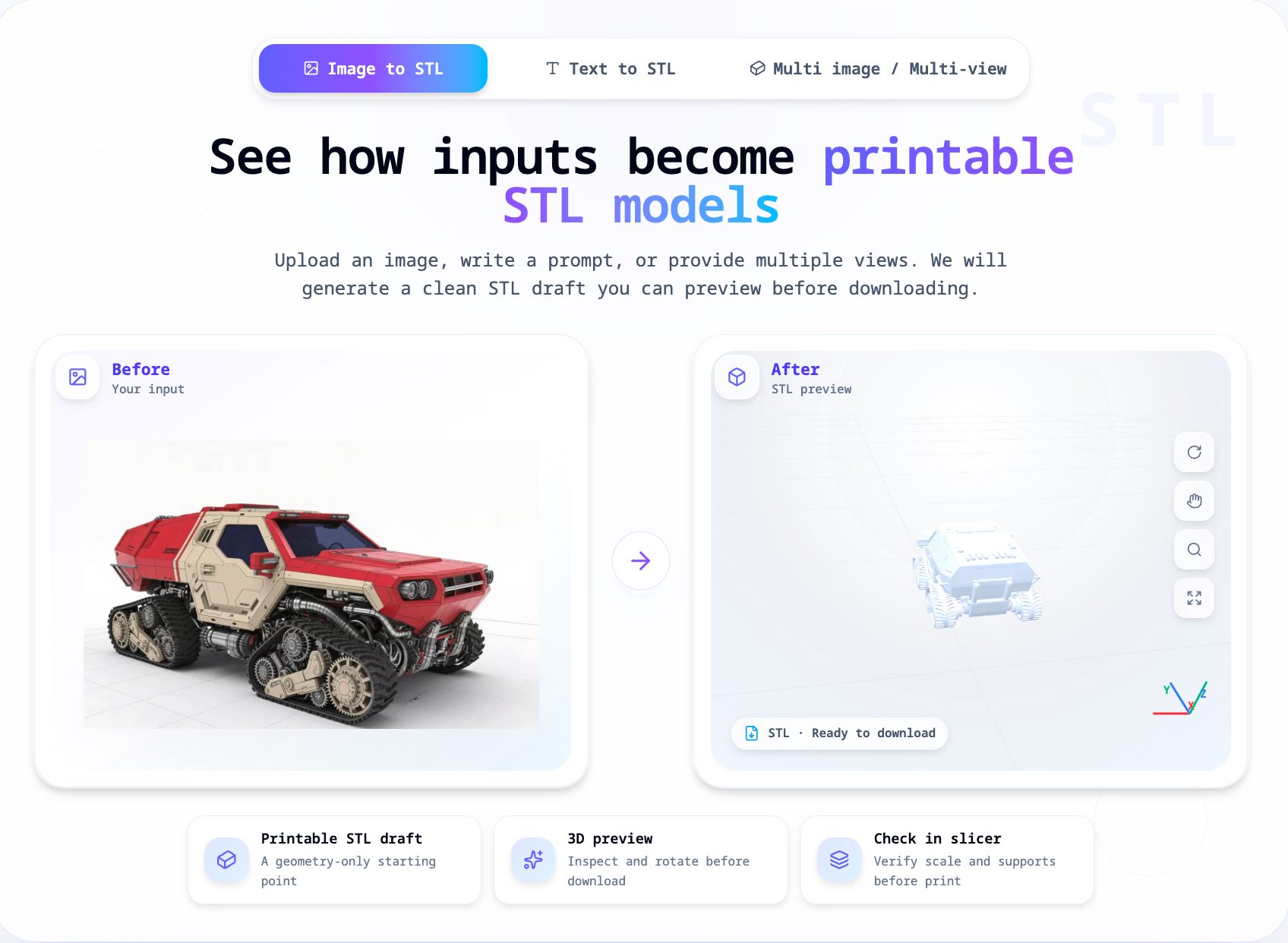
Image to STL Converter is an online tool that converts JPG, PNG, JPEG, or WEBP images into 3D-printable STL files. After uploading an image, users choose a generation mode (Quick, Standard, Advanced), and the AI generates a geometric model that can be previewed and rotated in the browser before downloading the STL.
Core features include: support for multiple image formats, up to 8MB file size, generation time of approximately 30–90 seconds, 3D preview, and STL download. It's ideal for creating 3D printing drafts, testing Etsy product ideas, custom gifts, or classroom demonstrations.
"The generated file is a starting geometry — be sure to check scaling, supports, and orientation in your slicer software before printing." — Prusa Research
This tool is not a full 3D modeling suite; it focuses on quickly turning images into printable STL drafts.
Loading comments…
Project Info
Product Keywords
Image to STL Converter is an online tool that turns JPG, PNG, JPEG, or WEBP images into 3D-printable STL files. You upload a single image, pick a generation mode, and the AI produces a geometric model you can preview and rotate in your browser before downloading the STL. The whole process takes roughly 30–90 seconds, and files up to 8MB are supported. It's a focused utility, not a full 3D modeling suite — its job is to get you a printable STL draft fast.
You can upload JPG, PNG, JPEG, or WEBP files up to 8MB. That covers most phone photos and downloaded images, so you rarely need to compress or convert before starting.
Choose between Quick, Standard, and Advanced modes depending on how much detail you need. Each mode consumes 2–4 credits, and credits are returned automatically if generation fails — a nice safety net.
Before you download anything, you can inspect and rotate the generated model right in the browser. This lets you catch obvious geometry issues early, saving you from wasting a print on a bad draft.
The output is a clean STL file ready for your slicer. The tool explicitly reminds you to verify scale, supports, and orientation before printing — it's designed to hand off to your existing printing pipeline, not replace it.
Image to STL Converter turns a 2D image into a printable starting point in under two minutes — without forcing you into a full 3D modeling workflow.
That speed and simplicity is the core edge. Most alternatives require learning sculpting or CAD tools just to get a rough draft. Here, you upload, generate, preview, and download. The tool also sets honest expectations: the output is starting geometry, not a production-ready model. That clarity helps you plan the next steps — scaling, supports, cleanup — instead of discovering limitations mid-print.
You want a low-friction way to test whether an image can become a printable object. It's especially useful for quick drafts, gift ideas, classroom demos, or Etsy product experiments where you need a tangible STL to evaluate before investing time in detailed modeling. If you need exact mechanical dimensions or production-grade meshes, you'll still want CAD or dedicated modeling software — but for fast, inspectable STL drafts, this tool delivers.

Other tools you might consider
Willo is the world's first autonomous business builder that takes your idea from concept to a live, operating business in minutes. Describe your business or dream idea, and Willo's 7-agent AI team handles everything: market research, branding, website deployment, payment processing, content creation, and growth optimization. "Launch a real business in ~8 minutes." No code or tech skills are required. The platform includes a full business stack with Stripe payment processing, a custom-coded website hosted on your own subdomain, GitHub version control, analytics, email outreach, and a decision register. Your AI CEO coordinates specialists in product, research, marketing, content, support, and finance, all working 24/7 to grow your business. Feature Included Payment Processing Stripe Connect Website & CMS Custom Coded Site Code & Hosting GitHub + Cloud Hosting Agent Team 7 specialized agents Analytics & Growth Built-in Engine
Vivideo is an AI-powered video creation tool that transforms text prompts and images into engaging videos in seconds. Generate videos.
Seedances Introduction Seedances is a next-generation AI video platform powered by ByteDance’s Seedance 2.0 model. It enables effortless creation of cinematic videos through text-to-video, image-to-video, and multimodal inputs — with native synchronized audio, realistic motion, physics simulation, director-level camera control, and high-fidelity 2K output. Key Features Text-to-Video: Generate multi-shot cinematic clips from detailed prompts, with smooth motion, consistent characters, and natural storytelling. Image-to-Video: Animate photos into lifelike videos — characters move, express emotions, and interact while preserving identity and style. Multimodal Reference: Combine text + up to 9 images + 3 videos (≤15s) + 3 audio clips for precise control over motion, style, camera work, lighting, expressions, and sound. Motion & Performance Transfer: Replicate dance, actions, camera movements, or expressions from reference videos with high accuracy. Native Audio Generation: Produce synced dialogue (lip-sync), sound effects, ambient noise, music, and multilingual voiceovers. Output: Native 2K (up to 1080p/2K), smooth fps, multiple aspect ratios (vertical, widescreen, square). Core Advantages Unified audio-video joint generation for perfect synchronization and immersion. Exceptional motion stability, real-world physics, and temporal consistency — no jitter or artifacts in complex scenes. Director-grade control: camera angles, lighting, shadows, pacing, multi-shot narratives. Fast generation: High-quality clips in seconds to minutes. Strong multilingual support and prompt adherence for global creators. Target Users Social media creators: Viral shorts, dance challenges, Reels/TikTok content. Dancers/choreographers: Routine visualization, covers, tutorials. Filmmakers: Concept trailers, storyboards, music videos. Marketers: Ads, product demos, branded clips. Educators: Explainers, animated lessons. Hobbyists: Fun animations from photos or ideas. Frequently Asked Questions Free to use? Free tier with limits/watermarks; paid plans for higher quotas, no watermark, priority speed, advanced features. Copyright? Users own generated content and can use commercially (comply with terms, avoid infringing references). Languages? Strong in English, Chinese + major others; good lip-sync/voice support. Speed? Most clips 20–120 seconds; priority faster on paid. • • Best results? Use structured prompts (subject, action, camera, lighting, style, audio); high-quality references; iterate refinements.
LTX 2.3 is the first real-time AI video generation model by Lightricks. Create stunning videos from text or images in just 2-4 seconds. Open-source and professional quality, making AI video generation simple and efficient. LTX-2.3 is a next-generation open-source AI video generation model designed to help creators, developers, filmmakers, and businesses transform ideas into high-quality videos faster and easier than ever before. By combining advanced generative AI technology with powerful video creation capabilities, LTX-2.3 enables users to turn text prompts, images, and creative concepts into cinematic visual experiences.
Maker
Loading comments…